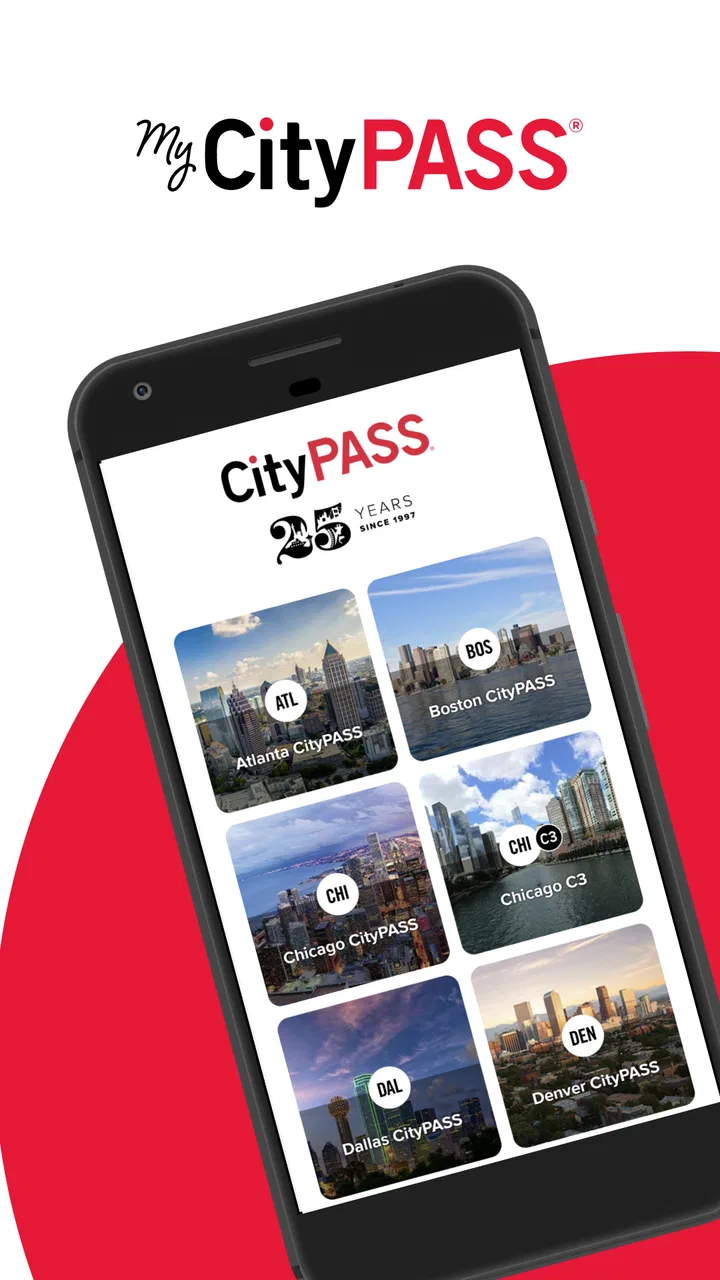
My CityPASS
- 4.9
- Rating
- 500.00K
- Installs
- Free
- Price

 Analysis by App-foxy
I tested My CityPASS as a practical travel companion rather than treating it like another sightseeing brochure. The app comes from CityPASS and sits in the Travel & Local category, with a clear purpose: helping people plan visits to attractions included with their CityPASS purchase. It is free to download, rated for Everyone, and available for devices running Android 7.0 or later. In everyday use, I found it most useful when several people were trying to agree on what to see, when to go, and which details needed checking before leaving the hotel.
That shared-planning angle matters more than it first appears. A city attraction pass can save time, but it can also create small household arguments: one person wants a museum, another wants a viewpoint, children are tired, and somebody has forgotten where the admission information is stored. My CityPASS gives the trip a central place to organize those decisions. Its real strength is reducing coordination friction around attraction visits, not replacing a full travel planner or becoming a general-purpose map.
How My CityPASS Works When a Household Shares the Trip
My most convincing use case was a family or group preparing for a busy day. Instead of passing one printed confirmation around or asking one person to remember every attraction detail, the person managing the trip can use the app as the reference point. That makes the conversation more concrete: choose the attractions, consider their order, and check the relevant visit information before everyone starts walking.
You May Also Like

 Blood Strike: 2.5 Anniversary
Blood Strike’s Loadouts Turn Every Drop Into a Tactical Gamble
A close look at Blood Strike’s custom loadouts: how fast access to signature weapons reshapes its battle royale rhythm, rewards preparation, and narrows the gap between fights.

 Pandora - Music & Podcasts
Pandora’s Music Is Easy to Start, but Harder to Recover
Pandora’s strength is its low-effort path from a seed to a station. Its weak spot is how much confidence it asks you to place in connection, setup, and quiet recovery.

 8 Ball Pool
 Is Built on Rivalries, Rematches, and Routine
A close look at the rivalries, rematches, shared routines, and unanswered safety questions that turn a quick pool match into a persistent mobile community.

 Samsung Music
’s Quiet Strength Is Playing What You Already Own
Its reach comes less from spectacle than from dependable access to a personal library. That simplicity is both the app’s strongest retention engine and its ceiling.

 AccuWeather: Weather Radar
AccuWeather Review: A Quick, Clear Forecast for Everyday Decisions
For everyday plans, the best forecast is the one you can understand quickly. AccuWeather makes rain timing, radar, and local conditions easy to act on, with a few trade-offs.

 Hill Climb Racing
Why Hill Climb Racing Still Turns Crashes Into One More Run
A tiny car, a bumpy hill and one more upgrade: Hill Climb Racing keeps resurfacing because its simple chaos makes every near-miss feel personal.
More From Our News Desk



This is especially helpful when the group has different energy levels. A household may want to visit a major attraction in the morning, leave room for lunch, and keep a less demanding stop for later. The app does not remove the need for judgment, but it makes the pass feel less abstract. I could think in terms of actual visits rather than simply owning admission to several places.
There is also a useful distinction between the person who bought or manages the pass and everyone else traveling with them. My CityPASS is not a family-management tool in the sense of assigning child profiles, setting screen limits, or controlling what another person can do. I would treat it as a shared planning aid, with one main organizer responsible for keeping the important account and pass information accessible.
That boundary is worth understanding before a group relies on it. If each traveler expects to have a completely separate itinerary, independent account access, or their own customized dashboard, this may feel less natural than a dedicated group-planning service. The app works best when the household agrees on who is coordinating the pass and how the rest of the group will receive updates.
One realistic day with the app
Imagine arriving in a city with two adults and two children. The adults can review the available attraction choices together before breakfast, then decide which visit fits the children’s attention span and the day’s travel route. One adult keeps the app available while the other handles directions, tickets, snacks, or bags. If the group changes its plan, the organizer can revisit the attraction information instead of searching through several unrelated websites.
The important benefit is not that the app magically creates a perfect schedule. It is that the household has a shared starting point. That reduces the familiar situation where one person has a confirmation email, another has a map open, and a third is relying on memory. I still recommend keeping the day flexible, because attraction hours, queues, transport delays, and tired children can make a tightly packed plan unpleasant.
For couples or friends, the same workflow applies. One person can take responsibility for the pass while both people decide what deserves their limited time. For a larger group, I would make the plan explicit before leaving: identify the next attraction, agree on a meeting point, and avoid assuming that everybody is looking at the same screen. My CityPASS supports coordination, but it cannot solve poor communication on its own.
Setting up the organizer’s role
I would begin by installing the app on the device that will most often be available during the trip. That usually means the phone belonging to the person who made the booking or who is comfortable checking attraction details. This simple choice prevents a common problem: important information being split between several phones with no clear owner.
After opening the app, I would take time to understand how the pass and attraction information are presented before reaching the first venue. Travel apps are easiest to use when the traveler is calm and connected, not when a queue is moving and everyone is asking questions. A short setup check also gives the organizer a chance to make sure the correct pass information is visible and that the household knows which device is the reference point.
I would not hand the organizer’s phone to a young child as the default plan. The app is age-rated Everyone, which makes it broadly suitable from a content perspective, but that does not mean every child should manage the family’s travel information. A child can help choose an attraction or look at the plan with an adult, while the adult retains responsibility for the account, device, and decisions.
That is the practical meaning of an age rating here. It tells me the app is not presenting an adult-only subject or an obviously unsuitable experience. It does not create supervision features, child accounts, or household permissions. Parents should therefore use ordinary device and account judgment rather than assuming the app itself will separate adult responsibilities from children’s participation.
Coordinating without overloading the group
One of my favorite ways to use a travel app like this is to keep the plan deliberately small. Rather than trying to turn every attraction into a fixed appointment, I would choose a primary visit and one realistic follow-up, then leave space for food, rest, and unexpected delays. My CityPASS is more useful in that situation than when someone tries to force every possible benefit into a single exhausting day.
The app can help the organizer review the attraction choices, but the household still needs to make the human decisions. Is a long walk sensible after a morning visit? Will a stroller, mobility need, or short attention span change the order? Does the group prefer one major experience over several quick stops? These questions are not solved by a pass app, and ignoring them can turn a financially sensible purchase into a tiring itinerary.
A useful household habit is to review the next day’s plan together, then let the organizer make the final sequence visible on the phone. This gives children a sense of participation without giving them responsibility for the pass. It also helps adults avoid last-minute disagreements. If there are multiple adults, I would agree on a backup person who knows where the pass information is kept, while avoiding unnecessary account sharing or handing credentials around.
For a shared device, I would be more cautious. A family tablet may be convenient in a hotel room, but it is less useful once the group separates or moves through a crowded attraction. A phone carried by the organizer is generally the more practical arrangement. If the device battery is low, the household should not assume that another person automatically has identical access; the group should decide in advance who is responsible for the live information.
Where it differs from ordinary travel tools
My CityPASS is narrower than Google Maps, Apple Maps, a general itinerary app, or a spreadsheet. Those alternatives are often better for combining flights, restaurants, hotel details, transit, reservations, and personal notes in one broad itinerary. A map app is also usually the better choice when the main problem is navigation between unrelated places.
The advantage of this app is focus. Instead of making the traveler build a pass-related workflow from scattered confirmations and attraction pages, it keeps attention on planning visits connected with CityPASS. That focus is valuable for a short city break, especially when the household does not want to maintain a detailed travel document.
On the other hand, people who enjoy building a minute-by-minute itinerary may find the app too limited as their only planning tool. I would pair it with a map and, if necessary, a shared note containing the hotel address, emergency contacts, meal ideas, and meeting points. That combination is more dependable than expecting one attraction app to handle every part of a family holiday.
The trade-off is therefore straightforward: My CityPASS is more relevant than a generic planner for managing CityPASS attraction visits, but less comprehensive than a full trip-management system. I would choose it for pass-centered organization and use another tool for the rest of the journey.
Trust, privacy, and shared access in practice
Households often blur the line between convenience and unnecessary access. One person may say, “Just give me the login,” while another wants the pass kept on the original phone. My advice is to keep the number of people handling the account as small as possible. The organizer can show the relevant screen when needed, while other travelers contribute preferences without needing control of the account itself.
This arrangement is particularly sensible when children are involved. They can help select between attractions, check what the family is doing next, or remind adults about the plan. They do not need to be the person who manages purchase information or makes changes. The app’s Everyone rating supports family participation, but it should not be confused with built-in family administration.
I would also explain the plan in plain language to everyone before the first visit. Tell the group what the pass is being used for, which attraction comes next, and who has the phone. This sounds basic, yet it prevents the organizer from becoming a walking help desk. A child who knows the next stop is less likely to interrupt every few minutes, and an adult who knows the backup plan is less likely to panic when the group splits briefly.
For older relatives or travelers who are less comfortable with apps, the organizer should avoid assuming that a digital screen is self-explanatory. Show them the app at the hotel, identify the pass holder, and agree on a meeting location that does not depend on everyone reading the same display. My CityPASS can centralize information, but a human explanation remains important in a mixed-age group.
Performance expectations and version context
The app has a strong public reception, with a 4.9 average from around thirteen thousand ratings and more than five hundred thousand installs. Those figures suggest that many travelers find the focused experience useful, although they do not guarantee that every household will prefer it to a broader planner. I pay more attention to whether the workflow matches the trip, and here the match is strongest for people already using CityPASS.
The current version is 1.11.13, and the app was released on April 18, 2023. It is free, which makes trying it before a trip easy, and the minimum operating-system requirement of Android 7.0 keeps it accessible to many older Android phones. I would still install and open it before departure rather than waiting until the first attraction, because older devices can make any travel task feel slower or less comfortable.
There are practical limitations to keep in mind. A focused attraction app cannot tell me whether a family is overplanning, whether a child needs a break, or whether the fastest route is emotionally the best route. It also does not replace checking the day’s real-world conditions through appropriate local sources. I would use the app for the CityPASS side of the plan and remain alert to changes that affect the wider trip.
Another limitation is social rather than technical: shared use depends on a clear organizer. If nobody accepts responsibility, the app may simply become another place where information sits unused. Conversely, if one person controls everything and never communicates, the rest of the group may feel excluded. The best results come from one accountable organizer and a simple, visible plan that everyone understands.
Who should use it, and who should skip it?
I recommend My CityPASS to travelers who have a CityPASS and want a dedicated way to think through attraction visits. It is particularly suitable for families, couples, and small groups where one person is coordinating the day. The free price and Everyone rating also make it easy to include in a household’s preparation without adding another purchase or restricting it to adults.
I would be more cautious about recommending it as the only travel app. Solo travelers who already have a comfortable routine with maps and digital tickets may not gain much from adding another tool. Likewise, travelers who are not using CityPASS, or who mainly need restaurant bookings, public transport planning, hotel organization, or a shared calendar, should choose an app designed around those jobs.
It may also be a poor fit for a household that expects every traveler to have equal independent control. The app’s value is greatest when the pass and attraction planning have a clear center. If your group dislikes a lead organizer or prefers a collaborative itinerary with separate permissions, a shared document or comprehensive itinerary service may feel more natural.
My final household verdict is positive, with a specific condition: use My CityPASS as the attraction-pass hub, not as the entire family travel system. I like the way it turns a potentially confusing collection of admissions into a more manageable conversation about what the group will actually do. Its focused design is an advantage when the trip revolves around CityPASS visits, and its broad accessibility makes it comfortable to introduce to a mixed-age household.
Before leaving, I would install it on the organizer’s phone, review the pass together, choose a realistic order, and explain the plan to everyone. I would keep a map available for navigation and maintain an ordinary backup plan for meeting points and communication. For shared travel, the best result comes from combining the app’s focused organization with clear household roles. Used that way, My CityPASS is a useful, low-friction companion for deciding how to spend a sightseeing day, while remaining honest about what it is not: a full itinerary manager, a child-control system, or a substitute for common-sense travel planning.
FAQs for My CityPASS
01What is My CityPASS and how does it work?
My CityPASS is a travel app designed to streamline your sightseeing experience by providing discounted admission to a city's top attractions. Once you purchase a CityPASS, you gain access to a selection of popular sites, allowing you to bypass ticket lines and save money. Simply show your digital pass at each location for entry.
02Which cities are covered by My CityPASS?
My CityPASS is available in several major cities across North America, including New York, San Francisco, Chicago, and Toronto, among others. Each city offers a unique set of attractions tailored to its cultural and historical landmarks. Check the app for a full list of participating cities and their included attractions.
03Can I customize the attractions I want to visit with My CityPASS?
While My CityPASS provides a curated selection of attractions in each city, the app typically offers flexibility by allowing you to choose from multiple options within a category. However, the pass itself is not fully customizable, as it's designed to offer the best value through a predetermined set of popular sites.
04How long is My CityPASS valid after purchase?
My CityPASS is generally valid for nine consecutive days, starting from the first use at an attraction. This allows travelers ample time to explore a city at their own pace. It's advisable to check the specific validity period for each city, as it may vary slightly depending on the destination.
05Is there a refund policy if I can't use My CityPASS?
My CityPASS typically offers a flexible refund policy, allowing refunds on unused passes within a certain period. It's important to review the purchase terms for your specific CityPASS, as refund policies can differ. Ensure you contact customer support if you require assistance with a refund request.
Pros
- Easy-to-use interface enhances user experience.
- Access to many attractions with one purchase.
- Saves money compared to buying individual tickets.
- Offline access reduces data usage concerns.
- Frequent updates ensure up-to-date information.
Cons
- Limited to major cities
- restricting options.
- Some attractions require reservations in advance.
- Not all attractions offer skip-the-line access.
- Regional passes may not cover all desired sites.
- No customization for specific interests.

My CityPASS
Gallery